
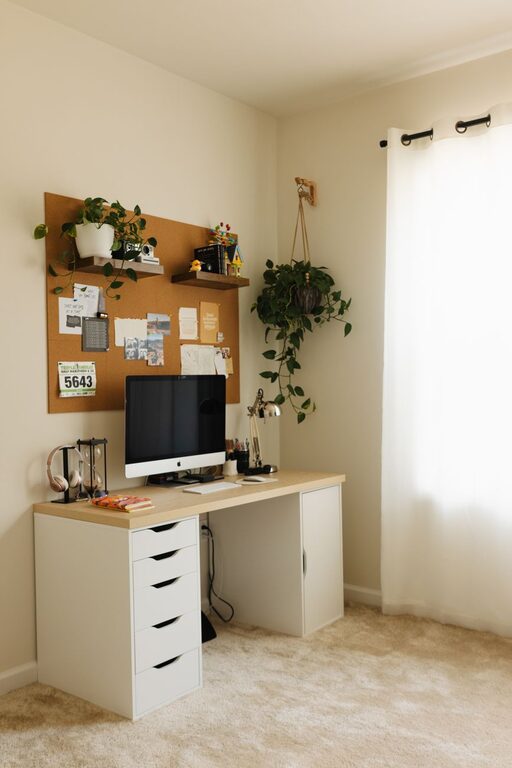
Creating a home office that is both cozy and productive can make a significant difference in your daily work experience. Whether you’re working remotely full-time or just need a dedicated spot for occasional tasks, designing a space that feels comfortable and helps you stay focused is key. Here are practical tips to help you craft a home office that supports your productivity while keeping you relaxed and motivated.
Choose the Right Location
Consider Natural Light
If possible, set up your home office near a window to benefit from natural light. Exposure to daylight helps improve mood and energy levels, making it easier to focus. Position your desk so you avoid glare on your computer screen but still enjoy the sunlight.
Find a Quiet Corner
A quiet spot in your home minimizes distractions and interruptions. If space is limited, try using room dividers or noise-canceling headphones to create a sense of separation from the rest of the household.
Invest in Comfortable and Functional Furniture
Select an Ergonomic Chair
Your chair is one of the most important pieces of furniture in your home office. An ergonomic chair supports good posture, reduces back pain, and increases comfort during long work hours.
Choose the Right Desk
Pick a desk that fits your space and work style. Whether you prefer a large surface for multiple monitors or a compact desk for minimal items, make sure it has enough room for your essentials.
Consider Adjustable Options
Height-adjustable desks allow you to alternate between sitting and standing, promoting better health and productivity. Even a small standing desk converter can make a difference.
Organize Your Workspace Efficiently
Declutter Regularly
A tidy desk can help you focus and reduce stress. Keep only the items you use daily on your desk, and store the rest away in drawers or shelves.
Use Storage Solutions
Invest in organizers, trays, and shelves to keep your supplies and documents in order. Clear labeling helps find things quickly and keeps clutter at bay.
Manage Cables Neatly
Tidy up wires with cable clips or sleeves to prevent a tangled mess. A clean workspace looks more inviting and helps you maintain concentration.
Personalize Your Office for Comfort and Inspiration
Add Personal Touches
Include items that make you happy and motivated—such as photos, artwork, or plants—without overcrowding your workspace. A balance between personalization and simplicity works best.
Incorporate Soothing Colors
Soft and neutral tones can create a calming atmosphere, while pops of your favorite color can add energy. Choose colors that help you feel focused and relaxed.
Bring in Greenery
Plants improve air quality and bring life to your office. Low-maintenance plants like succulents or pothos are great options even for beginners.
Optimize Lighting for Productivity
Use Layered Lighting
Combine natural light with ambient lighting and task lamps. A desk lamp with adjustable brightness ensures you have adequate light for detailed work without straining your eyes.
Avoid Harsh Fluorescent Lights
Soft, warm light creates a cozy vibe and reduces eye fatigue. Choose LED bulbs with adjustable color temperature for the best results.
Establish a Comfortable Environment
Control Room Temperature
Keep your workspace at a comfortable temperature to stay focused. Use fans, heaters, or air conditioners as needed, or layer your clothing to adjust your comfort.
Use Essential Accessories
Items like a cozy blanket, an ergonomic footrest, or a wrist pad can enhance comfort during long hours at your desk.
Develop a Productive Routine
Set Work Hours
Having clear start and end times helps you balance work and personal life. Communicate your schedule to others in your household to minimize interruptions.
Take Regular Breaks
Incorporate short breaks to move, stretch, and rest your eyes. This keeps you refreshed and prevents burnout.
Minimize Distractions
Turn off non-work-related notifications, close unused tabs, and keep your phone out of reach during focused work sessions.
Technology Tips for Efficiency
Use Reliable Equipment
Ensure your computer, internet connection, and peripherals like keyboards and mice are dependable. Technical issues can disrupt your flow and cause frustration.
Utilize Productivity Tools
Apps for time management, task organization, and note-taking can keep you on track throughout the day.
Final Thoughts
Creating a cozy and productive home office doesn’t require a complete overhaul or expensive purchases. Small, thoughtful adjustments can make your workspace a place where you enjoy spending time and get a lot done. Start with these tips, personalize your setup based on your needs, and watch your work-from-home experience improve dramatically.